Degrees per mouse count
Valorant0.07°
L4D20.022°
Valorant turns 3.18 times further per count, so L4D2 needs a sensitivity 3.18 times higher for the same turn.
L4D2 sensitivity =
Valorant sensitivity × 3.181818
Keep your DPI the same in both games. The multiplier is 0.07 ÷ 0.022, the ratio of the two games' yaw, so it holds at every DPI.
Different value? Find it in the chart or let the Windows app read it from your game.
Valorant values from 0.10 to 1.00, the L4D2 value with the same 360° distance, and how far you move the mouse for one full turn at 400, 800 and 1600 DPI.
| Valorant | L4D2 | cm/360 · 400 DPI | cm/360 · 800 DPI | cm/360 · 1600 DPI |
|---|---|---|---|---|
| 0.10 | 0.318 | 326.57 | 163.29 | 81.64 |
| 0.15 | 0.477 | 217.71 | 108.86 | 54.43 |
| 0.20 | 0.636 | 163.29 | 81.64 | 40.82 |
| 0.25 | 0.795 | 130.63 | 65.31 | 32.66 |
| 0.30 | 0.955 | 108.86 | 54.43 | 27.21 |
| 0.35 | 1.114 | 93.31 | 46.65 | 23.33 |
| 0.40 | 1.273 | 81.64 | 40.82 | 20.41 |
| 0.45 | 1.432 | 72.57 | 36.29 | 18.14 |
| 0.50 | 1.591 | 65.31 | 32.66 | 16.33 |
| 0.55 | 1.750 | 59.38 | 29.69 | 14.84 |
| 0.60 | 1.909 | 54.43 | 27.21 | 13.61 |
| 0.65 | 2.068 | 50.24 | 25.12 | 12.56 |
| 0.70 | 2.227 | 46.65 | 23.33 | 11.66 |
| 0.75 | 2.386 | 43.54 | 21.77 | 10.89 |
| 0.80 | 2.545 | 40.82 | 20.41 | 10.21 |
| 0.85 | 2.705 | 38.42 | 19.21 | 9.61 |
| 0.90 | 2.864 | 36.29 | 18.14 | 9.07 |
| 0.95 | 3.023 | 34.38 | 17.19 | 8.59 |
| 1.00 | 3.182 | 32.66 | 16.33 | 8.16 |
Valorant turns 0.07° per mouse count at sensitivity 1. L4D2 turns 0.022°. The ratio of the two is the multiplier.
Valorant turns 3.18 times further per count, so L4D2 needs a sensitivity 3.18 times higher for the same turn.
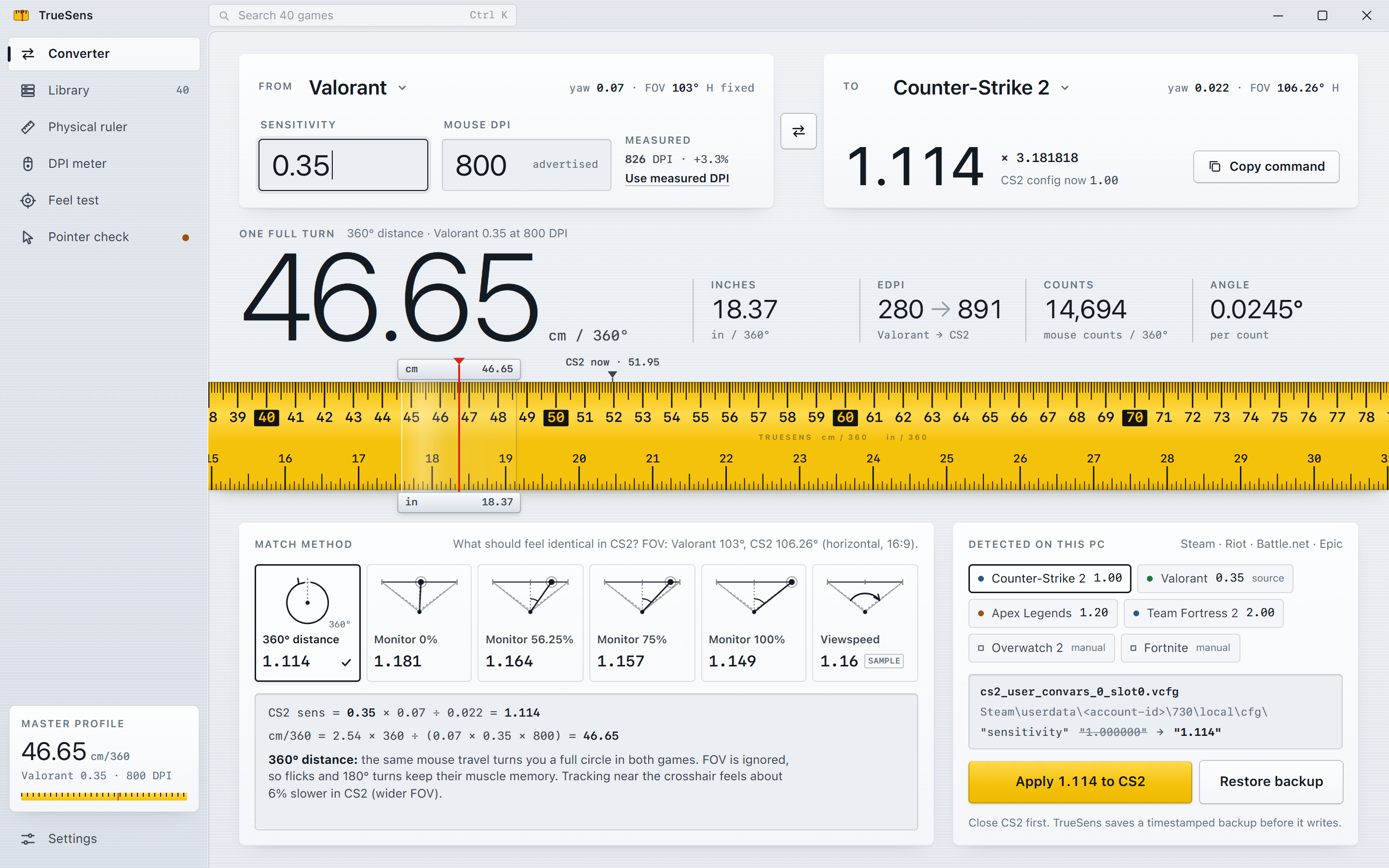
360 ÷ (0.07 × 0.35) = 14,694 counts
14,694 ÷ 800 DPI = 18.37 in = 46.65 cm
Divide 360° by the angle per count to get counts per turn, then divide by DPI to get inches.
The chart matches 360° distance, which does not depend on field of view. Monitor distance matching (0%, 56.25%, 75%, 100%) depends on the FOV you set in L4D2. The TrueSens app reads your FOV and shows every method side by side.
This page is a reference chart. The parts that need your PC are in the free Windows app:
"Open in TrueSens" starts the installed app with Valorant 0.35 → L4D2 already filled in (truesens://convert?from=valorant&to=left-4-dead-2&sens=0.35). If nothing opens, install the app first. Windows 10 and 11, x64, no ads, no account.
Multiply L4D2 by 0.314286. L4D2 1.114 is Valorant 0.35.
Multiply your Valorant sensitivity by 3.181818 (0.07 ÷ 0.022) and keep the same DPI. Valorant 0.35 becomes L4D2 1.114.
1.114 at any DPI. At 800 DPI both settings turn you 360° with 46.65 cm of mouse movement.
The exact ratio is 0.07 ÷ 0.022 = 3.181818. Rounding to 3.18 turns 0.35 into 1.113 instead of 1.114, a 0.06% difference.
No. The multiplier is the same at 400, 800 or 1600 DPI as long as you use the same DPI in both games. DPI only changes your cm/360.
360 distance keeps full turns and flicks identical and does not depend on field of view, so the chart on this page uses it. Monitor distance matching depends on the FOV you play with; the TrueSens app reads it from your settings and gives you that value too.
Open the L4D2 console and enter sensitivity 1.114, or set it in the game's mouse settings. The free TrueSens app for Windows can write the value into the L4D2 config for you and keeps a backup.
Multiply your L4D2 sensitivity by 0.314286 (0.022 ÷ 0.07). L4D2 1.114 becomes Valorant 0.35.